.svg)
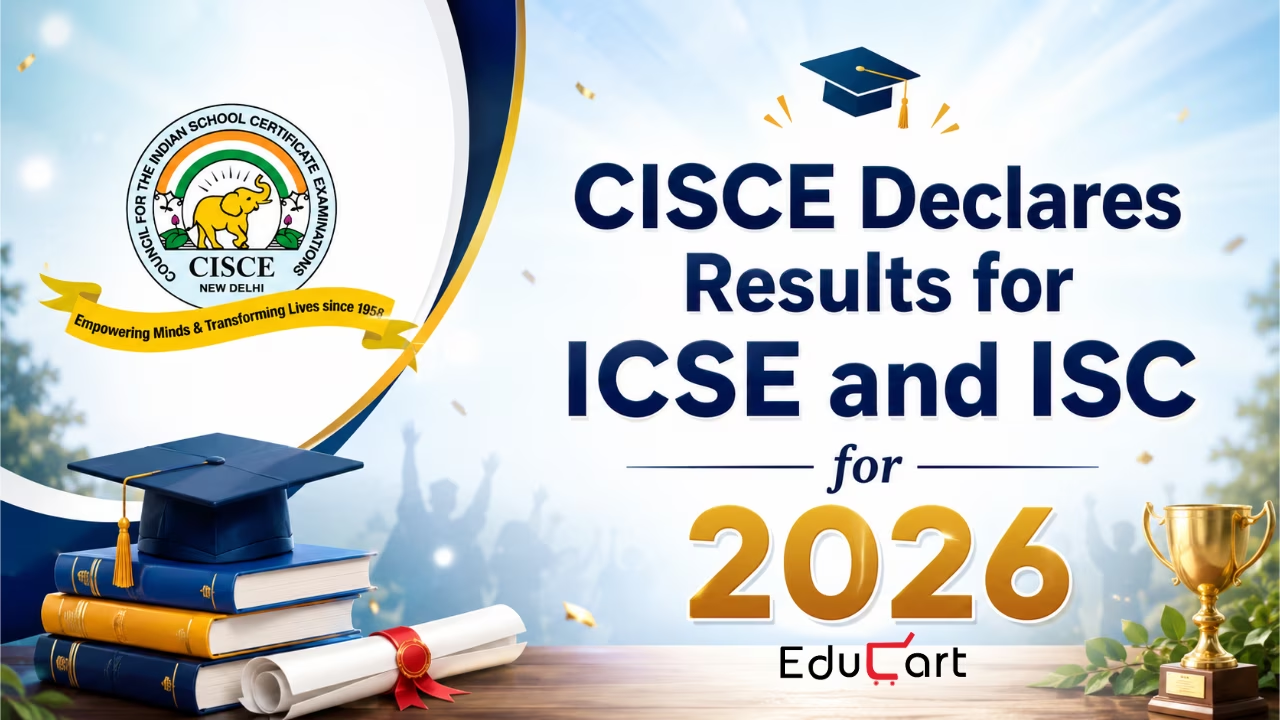
The Council for Indian School Certificate Examinations (CISCE) has declared the result for ICSE (Class 10) and ISC (Class 12) for 2026 on their official website. Both results were announced on the same date i.e., April 30, 2026, 11:00 AM, which brought an end to the long wait of the students.
Here, in this article we cover everything you need to know about the ICSE and ISC result 2026. From the process of checking the result to what can be done for improvement of the scores, everything is covered here, so follow along.

How Students can Access the Results for ICSE & ISC
The results are made available on three official platforms by CISCE - the CISCE website, the CAREERS Portal, and Digilocker.
CISCE Website
Students can access the results by visiting either of the following websites:
Steps to be followed:
Step 1: To access the ICSE (Class 10) for 2026 main examination results, select ‘ICSE’ from the ‘Course’ dropdown options. For ISC (Class 12) 2026 result, select ‘ISC’
Step 2: Enter the Unique ID, Index Number, and CAPTCHA to view the result
Step 3: To print the result, click on the ‘Print’ button provided on the results web page
CAREERS Portal (for Schools)
Schools can access the Result Tabulation Register which is made available on the CAREERS Portal of CISCE. It can be accessed by logging in with the School Principal’s login ID and password.
Steps to access results on the CAREERS Portal:
- Log in to the CAREERS Portal and select the ‘Examination’ section.
- From the menu bar, choose ‘ICSE’ to check the ICSE (Class 10) Year 2026 Main Examination Results or ‘ISC’ to check the ISC (Class 12) Year 2026 Main Examination Results.
- Open the ‘Reports’ section available under the ICSE / ISC menu.
- Select ‘Result Tabulation’ to view or print the school’s complete result tabulation sheet.
- Schools can also click on ‘Comparison Table’ to access and print the comparative result analysis.
DigiLocker
Candidates can also access their results by visiting the DigiLocker Portal https://results.digilocker.gov.in/
Steps to access ICSE (Class 10) Year 2026 Results on DigiLocker:
- Click on the ‘Get Class 10 Result’ option.
- Fill in the asked details:
- Index Number
- Unique ID
- Date of Birth (as mentioned in the admit card)
- After entering the details, click on ‘Submit’ to access the result
Steps to check ISC (Class 12) Year 2026 Results on DigiLocker:
- Click on the ‘Get Class 12 Result’ option.
- Enter the following information:
- Index Number
- Unique ID
- Date of Birth (as mentioned in the admit card)
- Click on ‘Submit’ to view the result
Release of ICSE & ISC Result Documents
The result documents of all the students who appeared for the main examination will be sent to the conveners for the schools under their convenership. The date for the same will be communicated to all the concerned stakeholders in due course.
ICSE & ISC 2026 Post-Result Schedule
The table shows the key dates and activities which will be a part of post-result process as mentioned in the official notice:
ICSE and ISC Main Exam Result Rechecking
Students who are not satisfied with their result and wish to apply for a recheck of their ICSE or ISC result should note the following important points:
- Recheck applications can be submitted through the ‘Public Services’ section available on the CISCE website: https://cisce.org.
- Candidates need to log in to the CISCE Service Portal using their registered email ID and password.
- Students who do not have an account can create one by selecting the ‘Register Now’ option.
- Heads of Schools can also submit recheck requests for their students through the CISCE CAREERS Portal.
Recheck Fee Details:
- ICSE (Class 10): ₹1,000 per paper per candidate.
- ISC (Class 12): ₹1,000 per subject per candidate.
Important Dates:
- The recheck facility will be activated on 1st May 2026, one day after the declaration of the Main Examination Results.
- The last date to submit recheck requests is 4th May 2026.
- No requests will be accepted after the deadline.
Result Declaration:
- All recheck results will be released together on the official CISCE website: https://cisce.org.
- Recheck results will also be accessible through the CISCE CAREERS Portal.
Process Further:
- Candidates who are not satisfied with their recheck outcome will be allowed to apply for re-evaluation.
- Re-evaluation can be requested only for the same subject(s) or paper(s) for which the recheck was applied.
Re-evaluation Process for ICSE & ISC 2026
Candidates can submit their applications for re-evaluation through the ‘Public Services’ section available on the official CISCE website.
To apply, students have to sign in to the CISCE Service Portal using their registered email ID and password. Those who have not created an account yet can choose the ‘Register Now’ option to register.
Re-evaluation Details:
- School Heads may also submit re-evaluation requests for their students through the CISCE CAREERS Portal.
- The re-evaluation fee for ICSE (Class 10) and ISC (Class 12) Year 2026 answer scripts is ₹1,500 per paper/subject per candidate.
- These charges are non-refundable.
Important Process:
- The online portal for submitting re-evaluation requests will be activated one day after the announcement of recheck results.
- The facility will remain open for only three days.
Result Declaration:
- All re-evaluation results processed by CISCE will be released together within three weeks on the official CISCE website.
- Re-evaluation results will also be available on the CISCE CAREERS Portal.
ICSE and ISC Improvement Exam 2026
Students who want to improve their scores based on the CISCE result 2026, will be allowed to sit for the improvement examination in up to three subjects.
The CISCE Improvement Exam 2026 is scheduled for 15th June, 2026 onwards. Detailed information about the same will be released along with the schedule and guidelines by the Council, on the official website.
FAQs
Q1. When were the ICSE and ISC 2026 results declared?
Ans. Both the ICSE (Class 10) and ISC (Class 12) results were declared on 30th April 2026 at 11:00 AM.
Q2. Where can I check my ICSE or ISC 2026 result?
Ans. You can check your result on three platforms - the CISCE website (cisce.org or results.cisce.org), the DigiLocker portal (results.digilocker.gov.in), or through your school via the CAREERS Portal.
Q3. What details do I need to check my result?
Ans. You will need your Index Number, Unique ID, and Date of Birth (as mentioned in your admit card).
Q4. When will I receive my physical result documents?
Ans. The result documents will be sent to the Conveners for your school. The exact date will be communicated to all concerned stakeholders in due course.
Q5. Can I apply for re-evaluation directly without applying for recheck first?
Ans. No. Re-evaluation can only be applied for after the recheck results are declared, and only for the same subjects or papers for which you had applied for recheck.
Glimpse of the Event

Share Article


.svg)




%2520(1).avif)

















.svg)

